
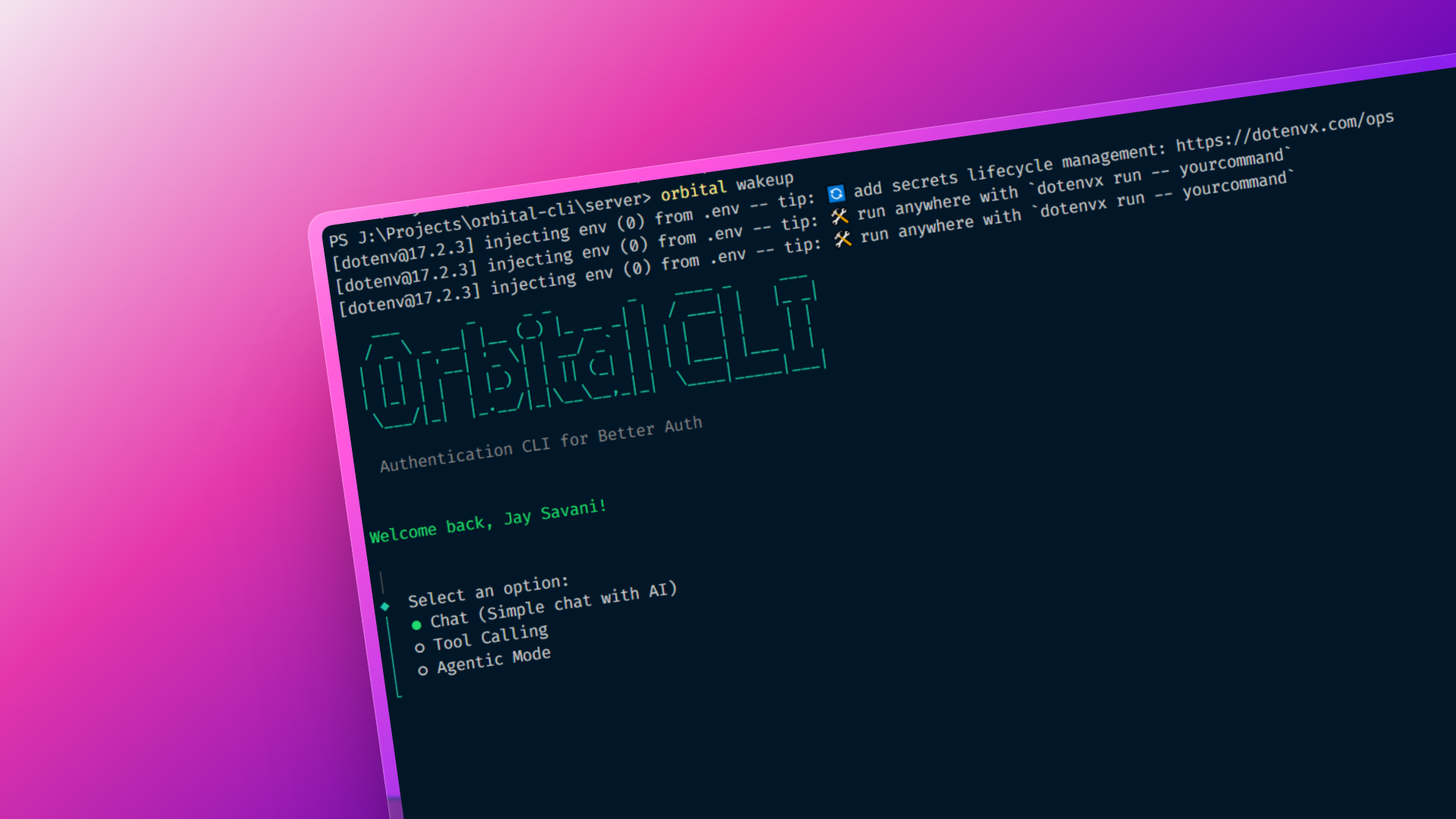
Orbital CLI
Orbital CLI is an AI-powered developer CLI featuring Better Auth device-flow authentication, persistent AI chat, tool-calling, and an autonomous agent that generates full applications directly into your workspace.
Timeline
2–3 weeks
Role
Full Stack Developer
Team
Solo
Status
ActiveTechnology Stack
Orbital CLI – AI-Powered Developer Workspace
Overview
Orbital CLI is a modern, AI-powered command-line tool designed for developers who want intelligent assistance directly inside their terminal.
It combines secure OAuth device-flow authentication, persistent AI conversations, tool-augmented reasoning, and an autonomous agent that can generate entire applications—files, folders, and setup commands—into your working directory.
The project explores how agentic AI systems and real-world authentication flows can coexist in a production-ready developer tool.
What Developers Can Do
🔐 Authenticate Securely (Device Flow)
- Log in using GitHub OAuth via OAuth 2.0 Device Authorization Grant
- No browser tokens in the CLI — authentication is handled securely
- Tokens are stored locally for persistent sessions
💬 Chat with AI (Persistent Memory)
- Start AI chat sessions directly from the terminal
- Conversations and messages are stored in PostgreSQL
- Resume chats across sessions without losing context
- Markdown-rendered AI responses for better readability
🛠 Use AI with Tools
- Enable tools per session:
- Google Search for real-time information
- Code execution for calculations and validation
- URL context for reasoning over web pages
- Multi-step reasoning using AI tool-calling
🤖 Autonomous Agent Mode
- Describe what you want to build (e.g., “Build a React todo app”)
- The agent:
- Generates a project structure
- Creates real files and folders
- Outputs setup and run commands
- Everything is written directly to your local filesystem
⚠️ Agent Mode writes real files — designed for controlled development environments.
Why I Built This
I built Orbital CLI to explore how AI agents, tool-calling, and secure authentication can be combined into a developer-first experience—similar to modern AI-native tools.
The goal was to move beyond simple chat and create a system where AI can:
- Reason
- Act
- Persist state
- Interact with real developer workflows
Technical Architecture
Backend & CLI
- Node.js (ESM) – Core runtime
- Express – Auth and API server
- Better Auth – OAuth device-flow authentication
- PostgreSQL + Prisma – Persistent users, sessions, and conversations
- Commander + @clack/prompts – Interactive CLI UX
- chalk + boxen – Styled terminal output
AI System
- Google Generative AI via
@ai-sdk/google - Streaming responses with tool calling
- Structured output using Zod schemas
- Autonomous agent logic with filesystem writes
Frontend
- Next.js (App Router) – Device authorization UI
- Tailwind CSS – Clean, minimal UI
- Better Auth client – Browser-side device verification
Key Challenges & Solutions
OAuth Device Flow in CLI
Challenge: Secure authentication without embedding browser flows in the CLI
Solution: Implemented OAuth 2.0 Device Authorization Grant using Better Auth with a Next.js verification UI
Persistent AI Memory
Challenge: Maintaining AI chat history across sessions
Solution: Designed Prisma models for conversations and messages, linked to authenticated users
Safe Agentic File Generation
Challenge: Allowing AI to generate real files without breaking user environments
Solution: Structured outputs with strict schemas and controlled write locations
Impact & Results
- Built a fully working AI CLI with authentication, memory, and agents
- Demonstrated end-to-end OAuth device-flow implementation
- Created a reusable foundation for AI-powered developer tools
- Gained deep experience in agentic AI workflows and secure auth systems
Future Enhancements
- Sandboxed or preview-only agent mode
- Plugin system for custom tools
- Multiple authentication providers
- Project templates and presets
- Remote execution and syncing
Key Learnings
- OAuth device-flow authentication in real-world systems
- Designing AI agents that can safely act on the filesystem
- Building production-grade CLIs with strong UX
- Integrating AI tool-calling into developer workflows
- Balancing autonomy and safety in AI systems
Final Thoughts
Orbital CLI represents a step toward AI-native developer tooling, where intelligent agents are not just chatbots—but active collaborators in the development process.
It’s one of my most technically ambitious projects and reflects my interest in AI systems, authentication, and developer experience.